
 Email
Email SMS
SMS Whatsapp
 Web Push
 App Push
 Audience Sync for Ads
 Popups
 Channel A/B Testing
  Control groups Analysis
 Frequency Capping
 Funnel Analysis
 Cohort Analysis
 RFM Analysis
 Signup Forms
 Surveys
 NPS
NPS Landing pages personalization
  Website A/B Testing
  PWA/TWA
 Heatmaps
 Session Recording
 Wix
Wix Shopify
 Magento
 Woocommerce
 eCommerce D2C
  Mutual Funds
 Insurance
 Lending
  Recipes
  Knowledgebase
 Developer Docs
 Product Updates
 App Marketplace
 Academy
 Ebooks
 Case Studies
 Blog
Blog Templates
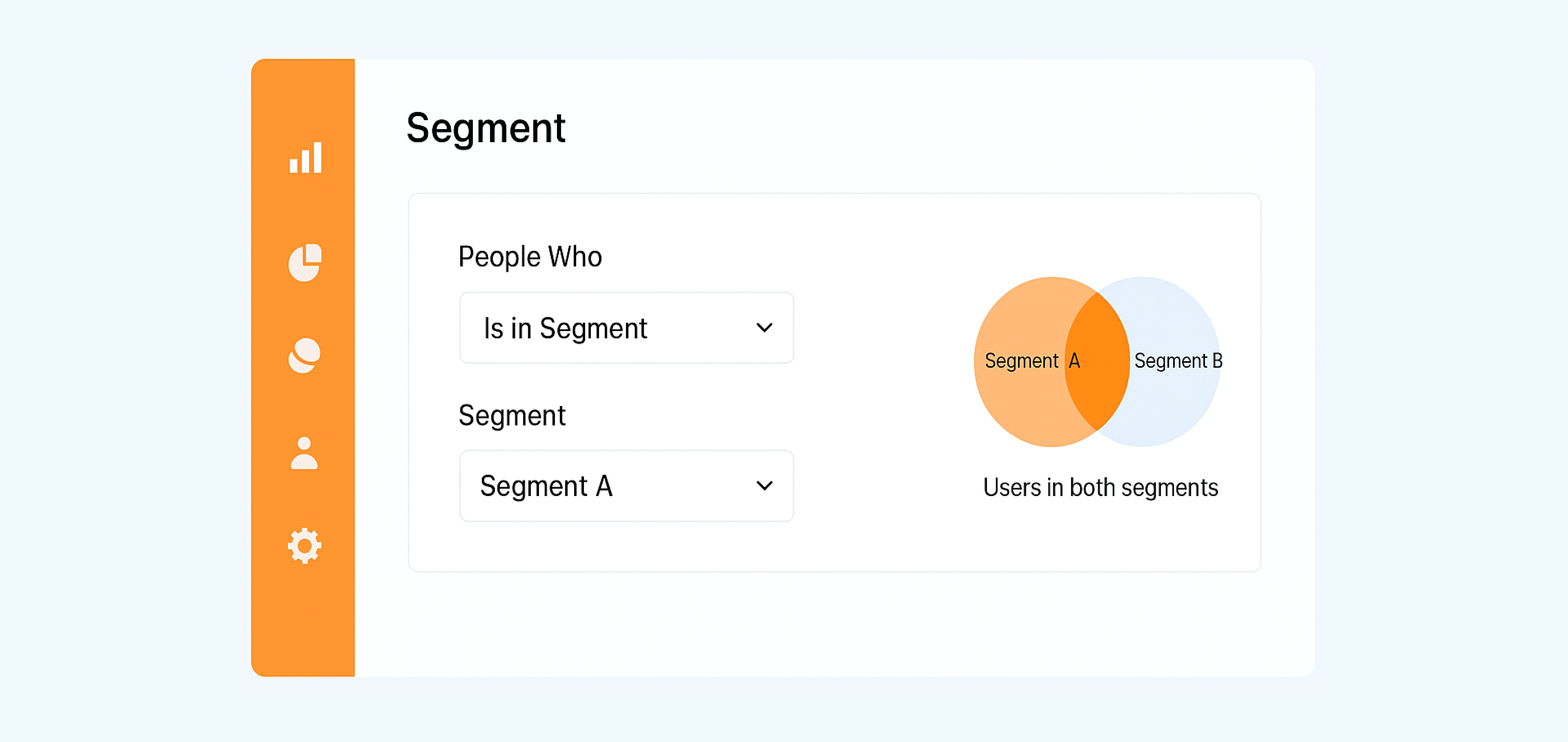
We’ve introduced a powerful new filter option for segments — “Is in Segment”. This allows you to include or exclude users based on whether they already belong to another segment.
How to use it:
1. Create a new segment.
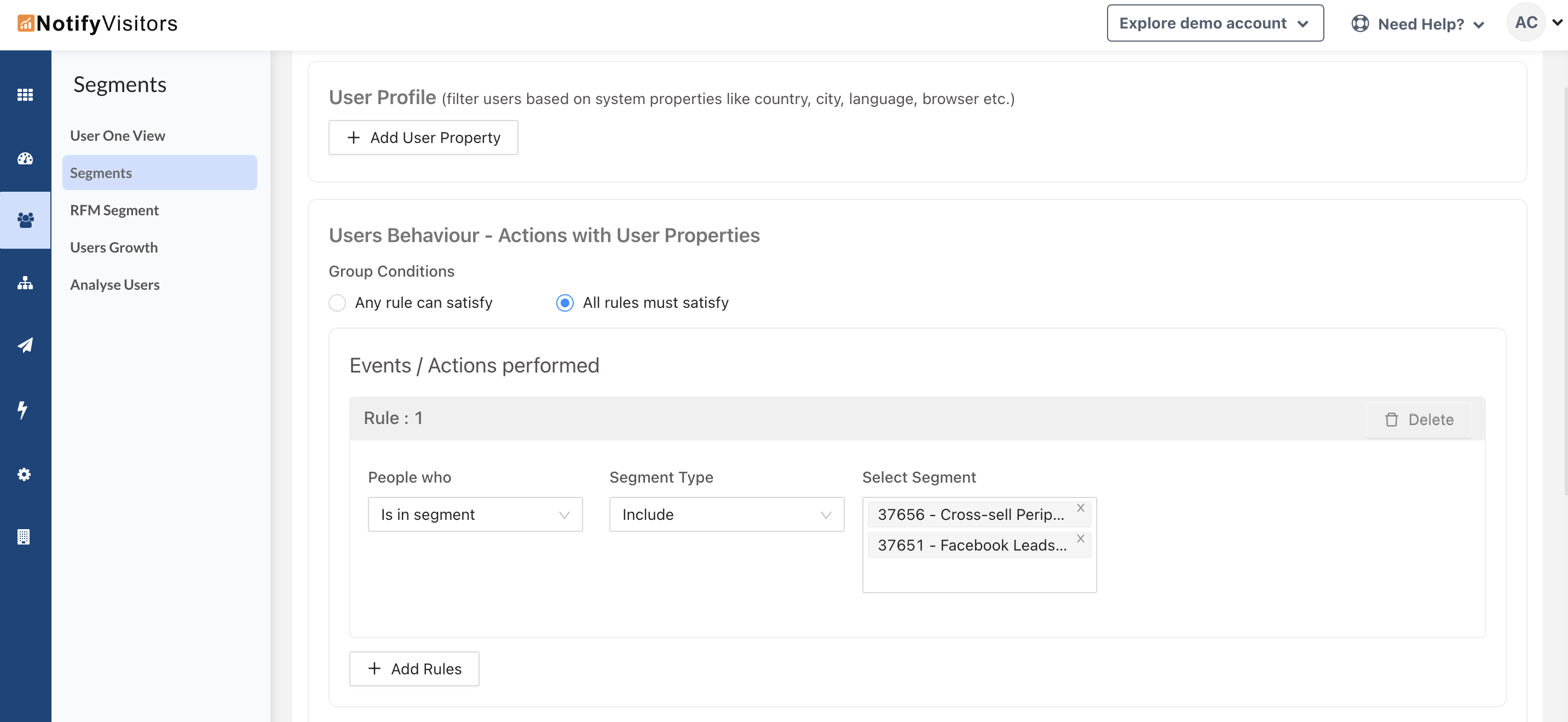
2. Under the Events / Actions Performed section, select “Is in Segment” from the People Who dropdown.
3. In the Segment Type dropdown, choose whether to:
- Include users who are in another segment, or
- Exclude users who are in another segment.
4. In the last dropdown, select one or more of your existing segments to use as the filter.
Example:
Let’s say you have an existing segment called “High-Value Customers” (users who have made purchases over $500).
You could create a new segment called “High-Value Customers Who Attended Webinar” by:
- Adding the “Attended Webinar” event, and
- Using Is in Segment → Include → High-Value Customers.
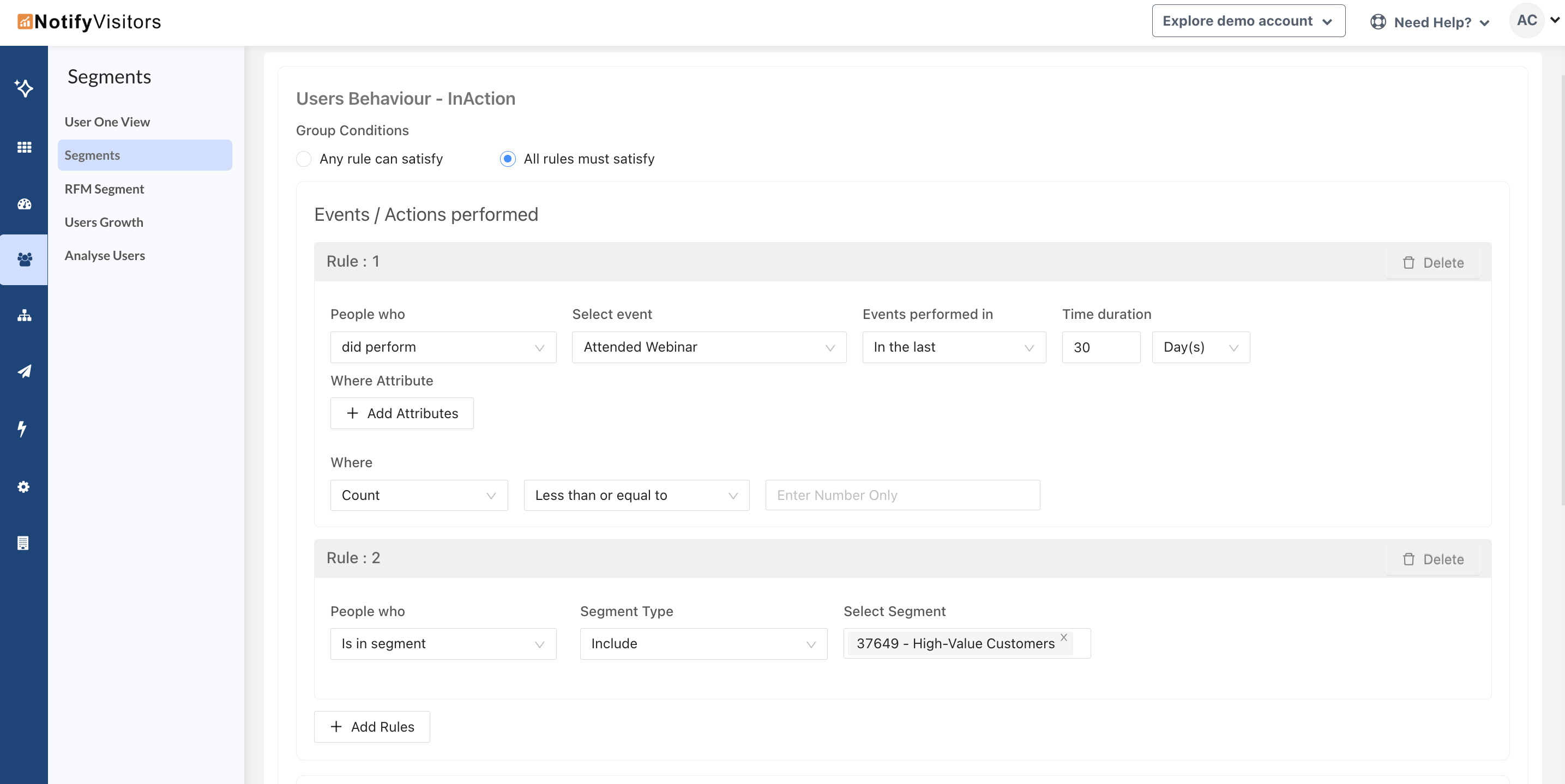
This way, the new segment will only include users who both attended the webinar and are part of your “High-Value Customers” segment.
This option is also available in query-based segments.

At NotifyVisitors, we are constantly working to bring new features and improvements to our platform, based on the feedback and Read more

Introducing the May Release Notes – a roundup of the top upgrades and enhancements we've made to our platform this Read more

We are excited to announce a range of new features and enhancements in this month's release notes. These updates aim Read more

During this month, several significant updates have been implemented, with a primary focus on enhancing the marketing capabilities of our Read more
