
 Email
Email SMS
SMS Whatsapp
 Web Push
 App Push
 Audience Sync for Ads
 Popups
 Channel A/B Testing
  Control groups Analysis
 Frequency Capping
 Funnel Analysis
 Cohort Analysis
 RFM Analysis
 Signup Forms
 Surveys
 NPS
NPS Landing pages personalization
  Website A/B Testing
  PWA/TWA
 Heatmaps
 Session Recording
 Wix
Wix Shopify
 Magento
 Woocommerce
 eCommerce D2C
  Mutual Funds
 Insurance
 Lending
  Recipes
  Knowledgebase
 Developer Docs
 Product Updates
 App Marketplace
 Academy
 Ebooks
 Case Studies
 Blog
Blog Templates
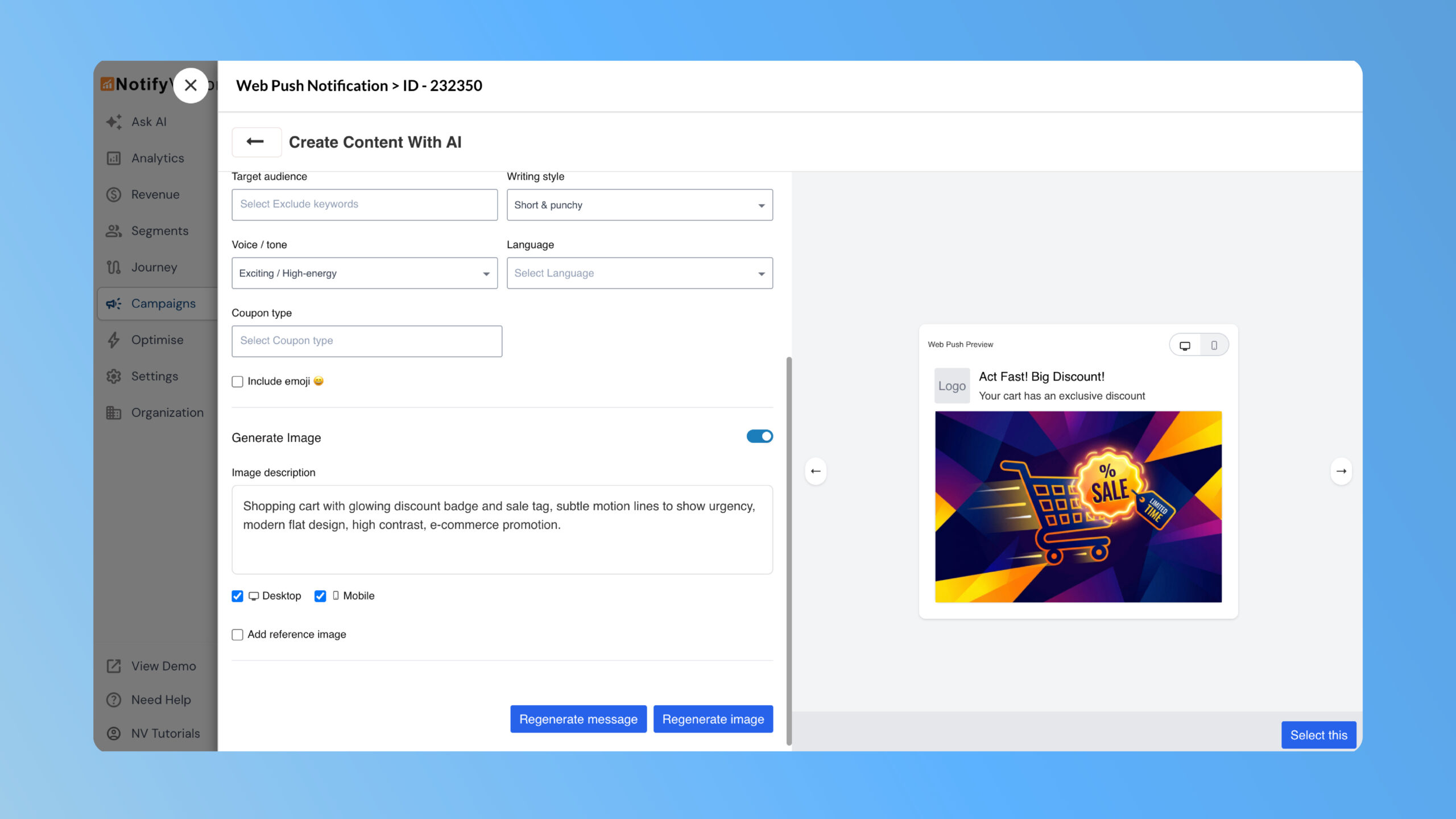
Marketers often spend significant time creating multiple short message variations and sourcing on-brand images that fit push notification dimensions. This update eliminates that effort. NVecta now introduces an AI-assisted composer directly within the Push editor, allowing you to generate message copy and matching images without leaving the campaign flow. As a result, creative effort is reduced, campaign creation becomes faster, and teams can launch pushes more efficiently.
Where to find it
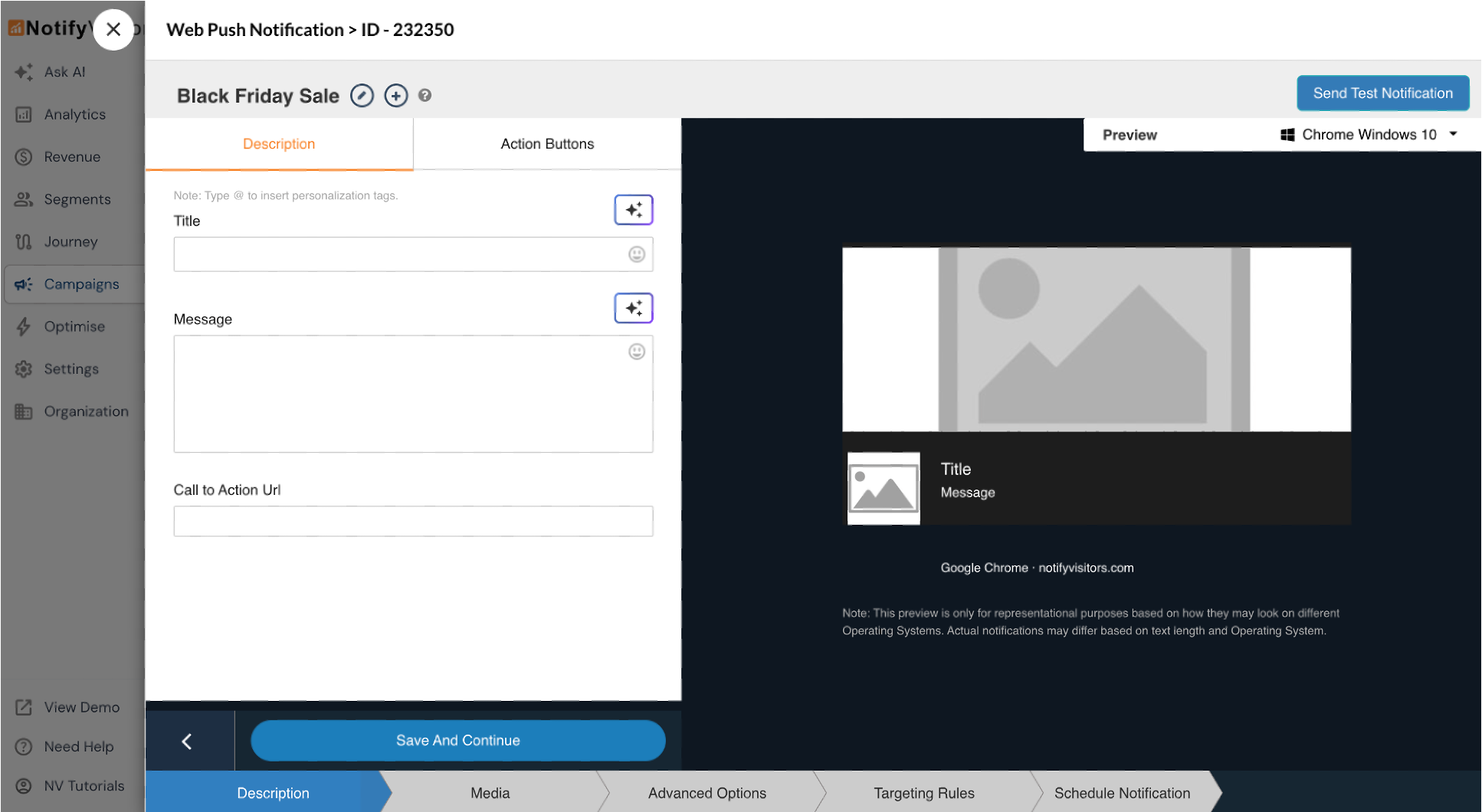
You can access this feature while creating or editing a Web Push campaign. AI icons appear next to text and image fields; for example, in the Description tab, the AI option is available beside the Title and Message fields.
How to use it
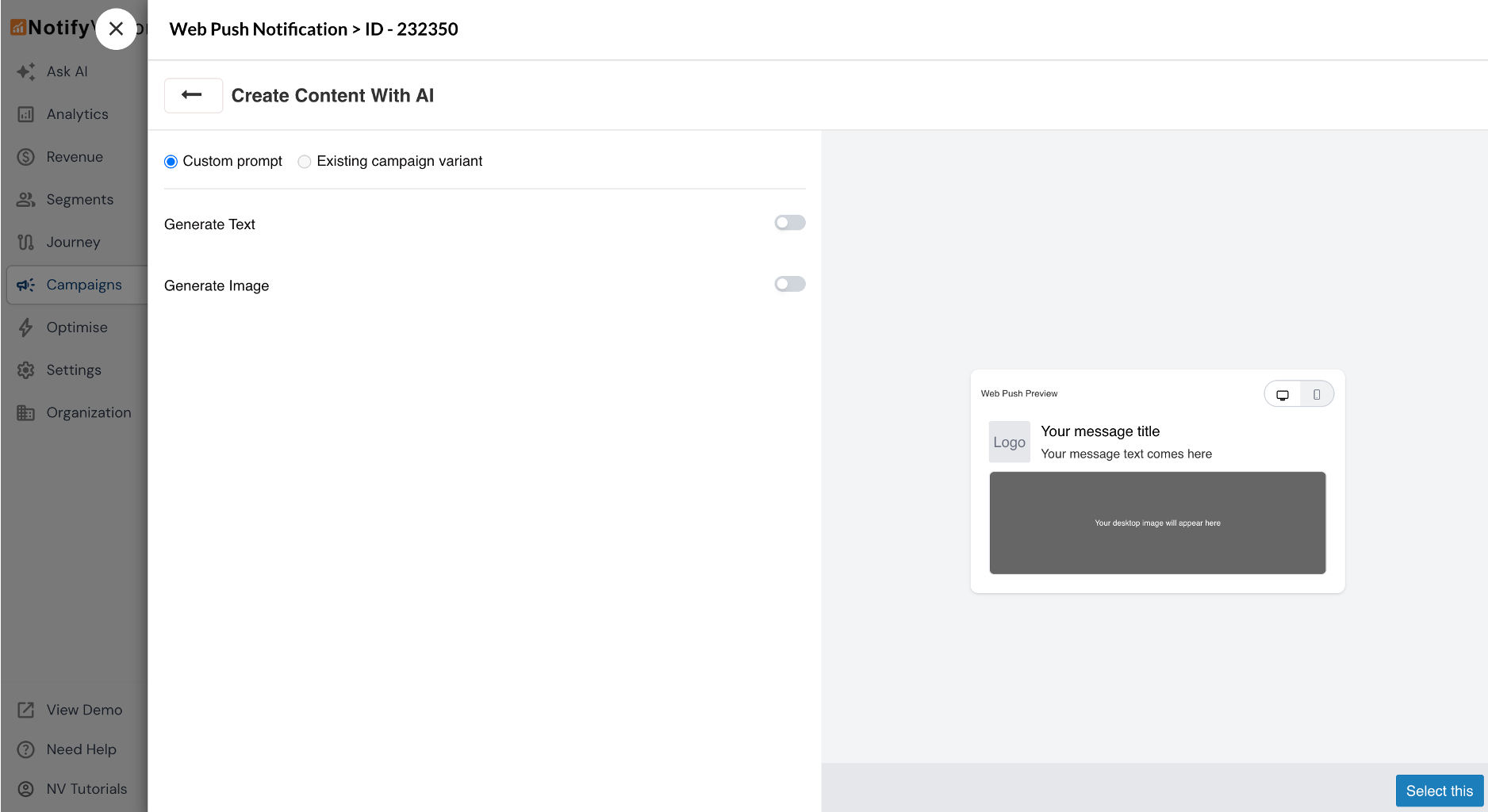
Clicking the AI icon gives you the choice to either generate new content (Custom prompt) or create AI-powered variations of an existing campaign (Existing campaign variant). You can then choose between generating text or generating images.
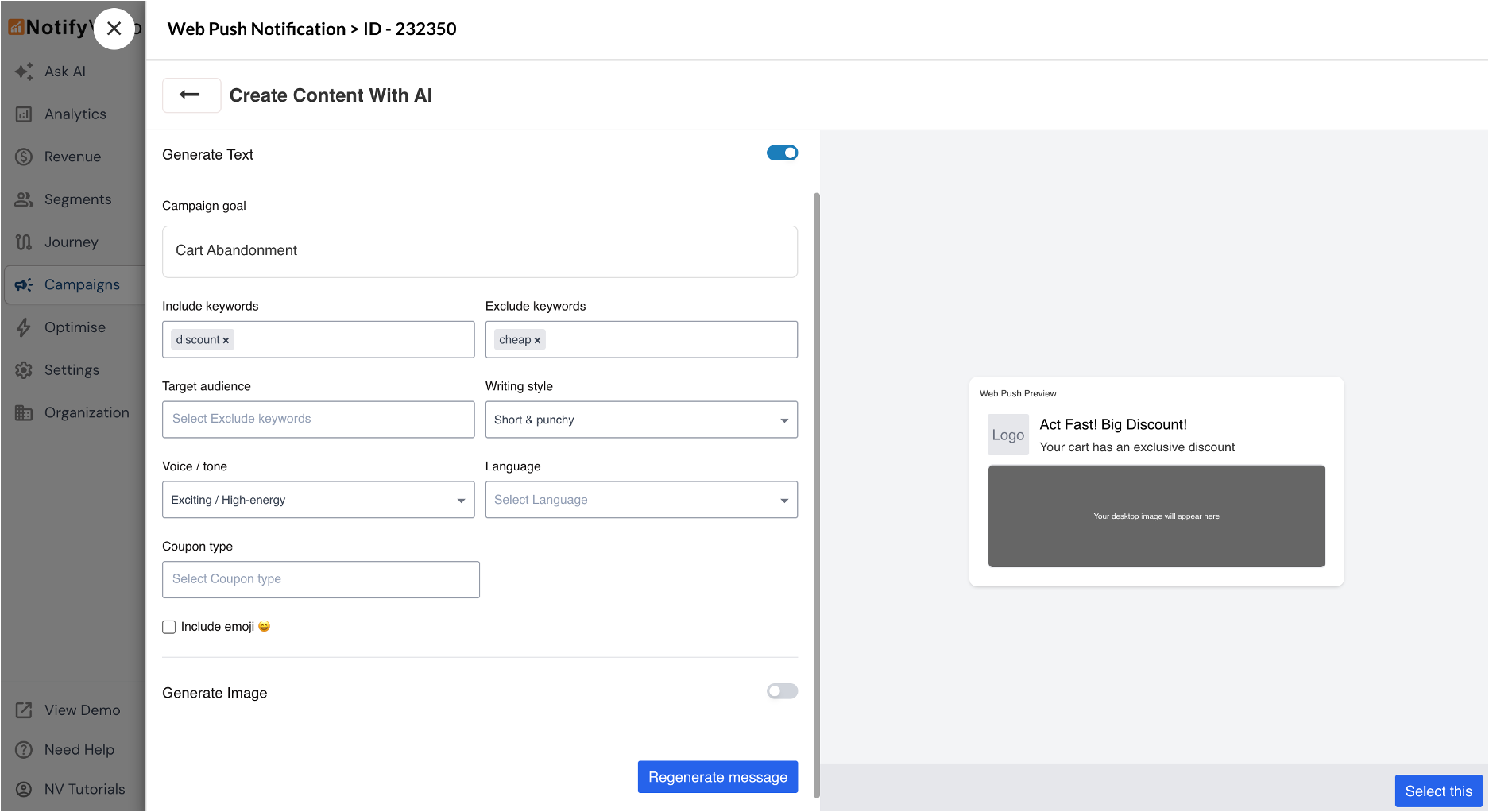
- For text generation, start by defining a campaign goal, which acts as your primary prompt. You can select a predefined goal, edit it to suit your needs, or write your own. Optionally, refine the output further by specifying include or exclude keywords, target audience, writing style, voice or tone, language, coupon type, and whether to include emojis. Click Generate to view results. If the output isn’t ideal, adjust the inputs and regenerate. Use the arrow controls to browse through variations in the live preview and select the version that fits best.
- To generate images, enable the Generate Image option and provide a short image prompt. You may also add a reference image using a URL or upload (either a new file from the computer, or select a previous AI-generated image from the file manager). Once generated, the image appears in the push preview and is saved to the NVecta file manager for future use.
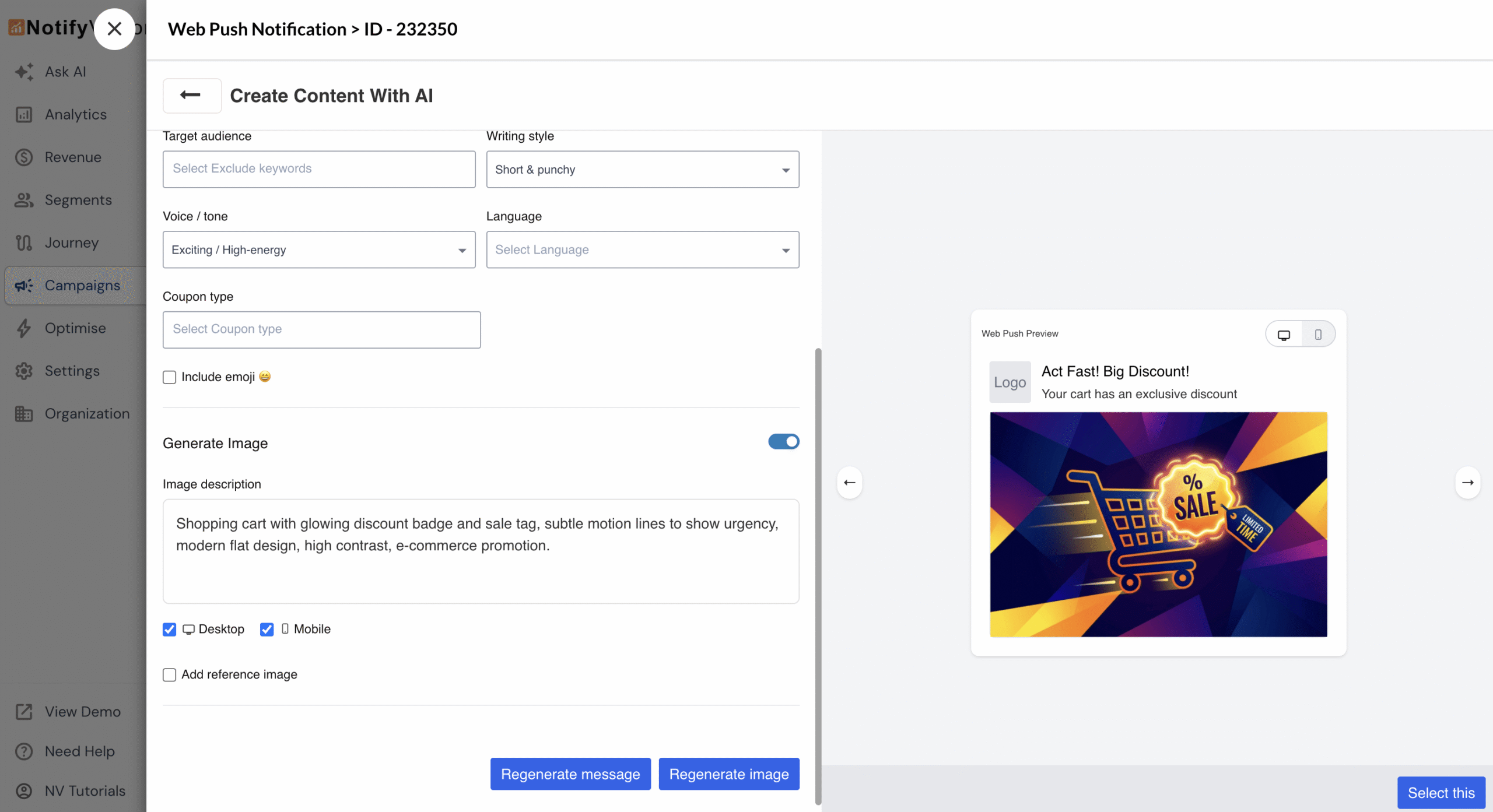
You can easily refine your prompts and regenerate text or images until you’re ready to finalize and schedule the push. All generated content automatically fits push notification dimensions.
Problem it solves
Push notifications demand concise, high-quality copy and perfectly sized visuals, but creating multiple variants often requires time and design resources. This feature automates content and image generation while keeping marketers in control of tone, keywords, and references; delivering speed and consistency without compromising brand identity.
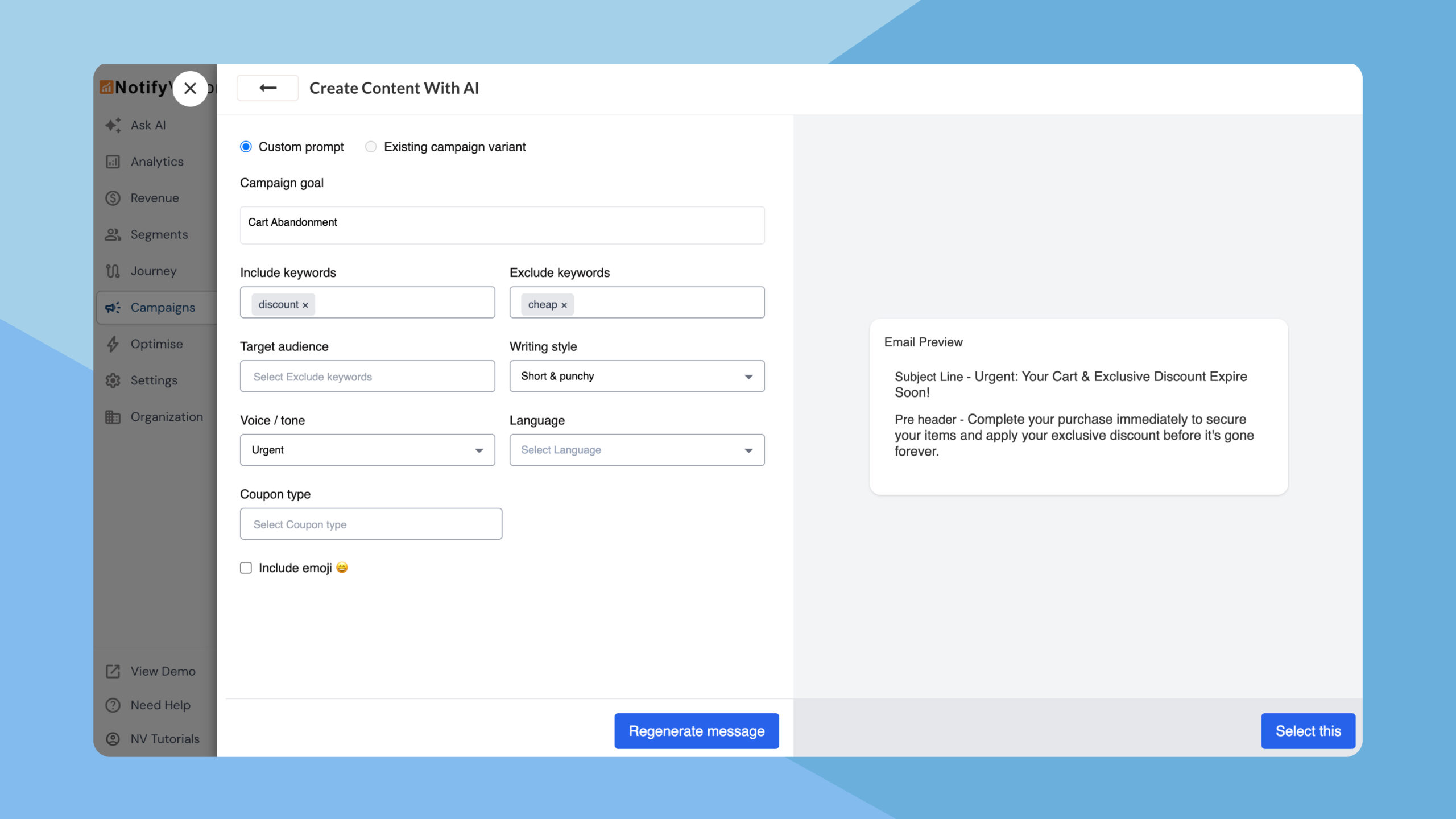
NVecta now uses AI across the entire email creation flow, enabling teams to generate subject lines, preheaders, and complete email Read more
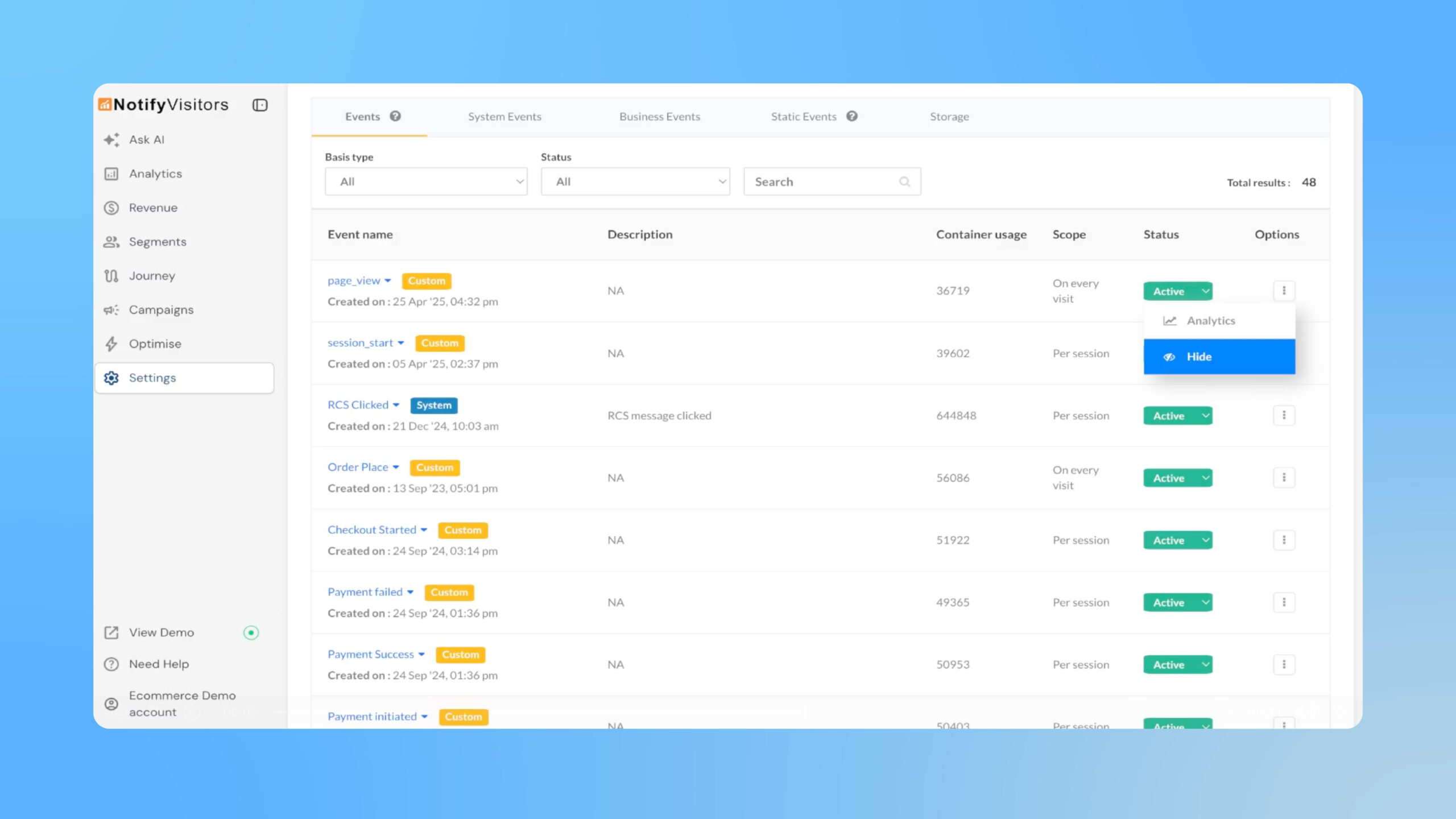
Easily hide rarely used events from the Events analytics panel and reports without affecting tracking or existing segments and journeys. Read more
